

A cricket speed gun that tells you when it doesn't know
Film a delivery on your Android phone, mark release and bounce, and get the average speed with an honest ± range, worked out for that one reading.
Android 9 or newer · Closed beta on Google Play
Join the beta
Two steps to the beta
- Step 1Join the tester group (opens in a new tab)
- Step 2Become a tester and install from Google Play (opens in a new tab)
- Android only.
- Use the same Google account you use for Google Play on your phone. Google Play only lets that account in if it is the one that joined the group.
- After you join the group, it can take a few minutes before step 2 works.
How it works
Record. Mark. Read.
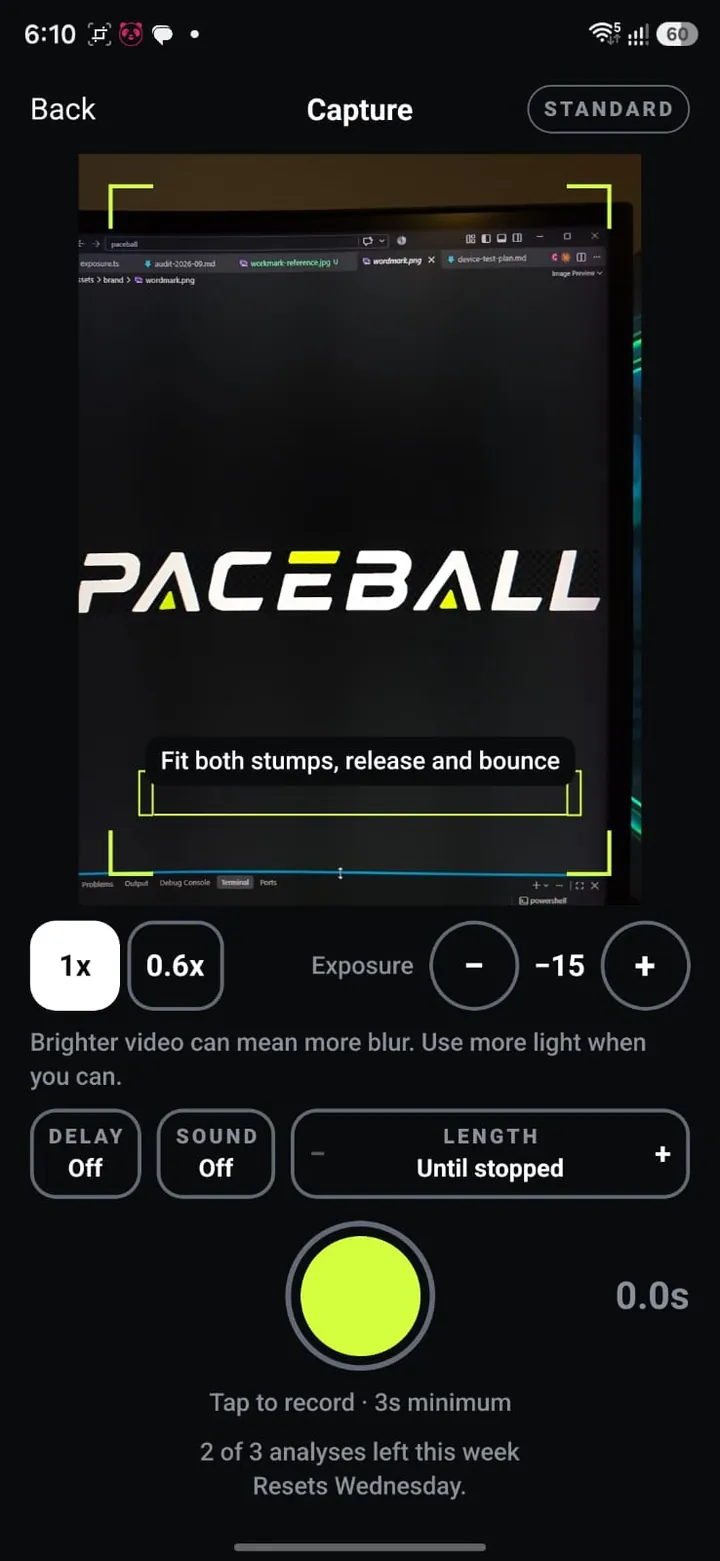
01 Record
Film the delivery side-on
Hold the phone still, square of the pitch, with the ruler and the whole flight in frame. Live capture only, at least 3 seconds, so the frame rate can be read from the file.
02 Mark
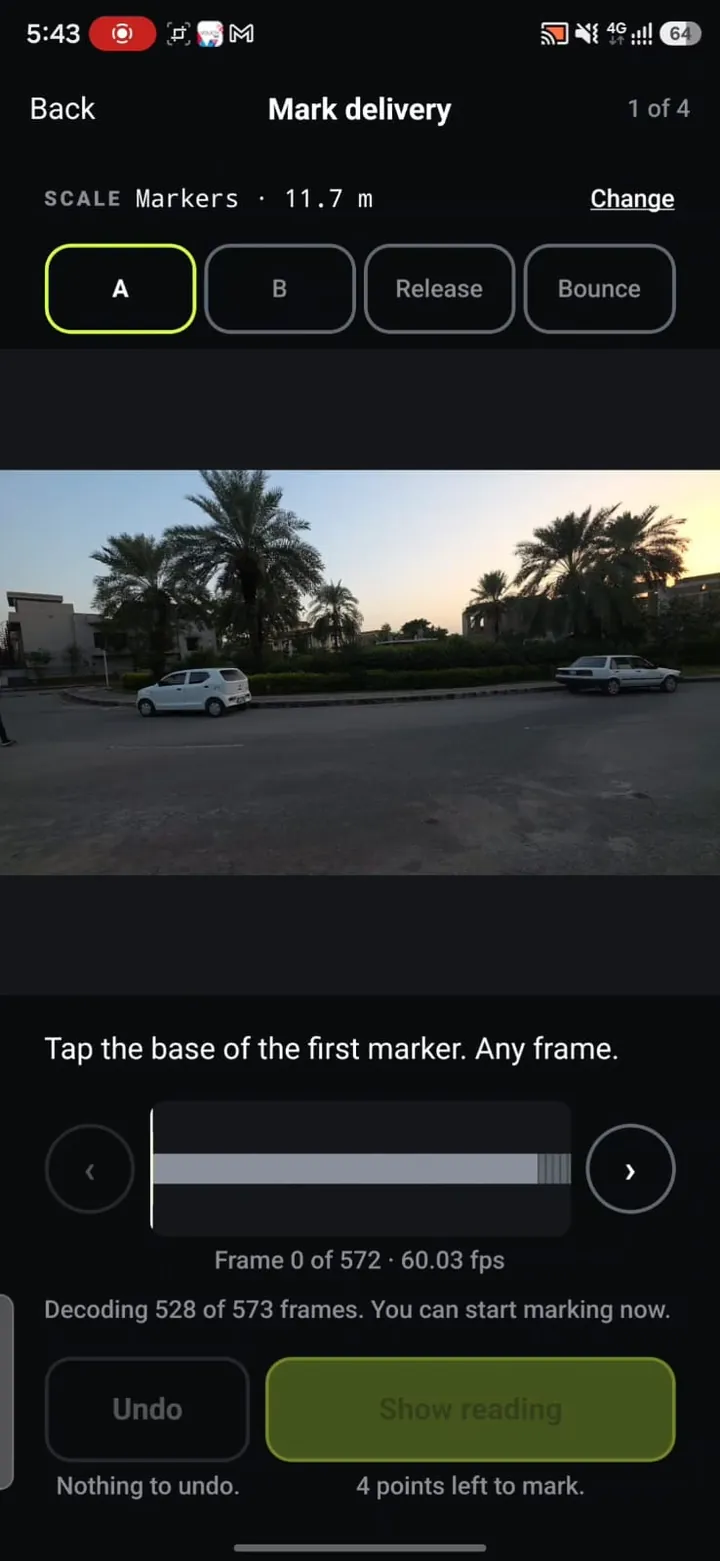
Tap four points
Two ends of a known distance set the scale: both sets of stumps, two markers you measured, or the ball. Then step frame by frame to the release and the bounce.
03 Read
Get the speed with its range
The average speed from release to bounce, with a ± range worked out for that one reading. Save it, share it as a card or a clip, and watch the trend.
The honest measurement
A number, and how far to trust it
The scale comes from a ruler you can see in the clip, never an assumed pitch length. The ball is released about 2 m past the crease and pitches well short of the far stumps, so assuming the full 20.12 m would nearly double every reading.
- pixels per metre =
- ruler pixels / ruler metres
- distance (m) =
- travel pixels / pixels per metre
- flight (s) =
- frames between marks / fps
- speed (km/h) =
- distance / flight × 3.6
Average speed
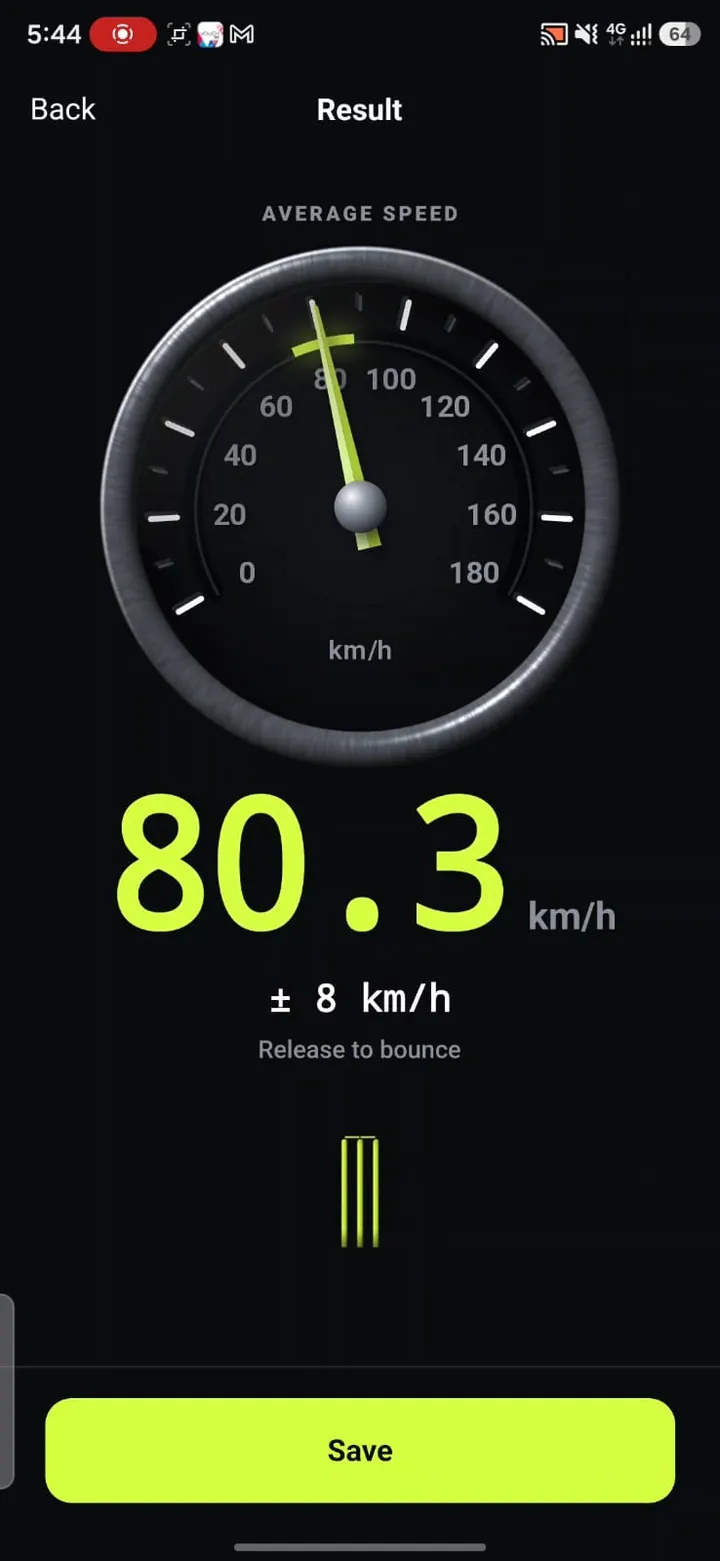
80.3 km/h
± 8 km/h
Release to bounce
- Marked frames
- 253 → 277
- Frame delta
- 24 frames
- fps, from the file
- 60.03
- Flight time
- 0.3998 s
- Distance
- 8.92 m
Where the range comes from
Four independent errors, combined for each reading: which frame each mark landed on, how well the ruler's length is known, and how precisely each pair of points could be tapped. Here the markers were paced out from shoe size and the flight took 24 frames, so the range is ± 8 km/h. Both sets of stumps, well framed, give a far tighter one. The same 3 px of tapping error is 0.6% across stumps 1000 px apart, and 50% across a ball 12 px wide. The range says so.
No seen bounce, no speed
Every bounce mark says whether the ball was seen, uncertain or guessed. Uncertain widens the range. A guessed bounce gives no speed at all, and nothing measured from it is shown or counted.
Implausible readings are flagged
A reading over 180 km/h, or with a range wider than ± 25 km/h, is tagged "Check this reading" and never counts as a best.
No spin rate
Video at 60 fps cannot resolve how fast a ball spins, so there is no RPM and no spin type. Not even an estimate.
Marked, not tracked
The line on the frame joins the points you tapped. It is never presented as a tracked path through the air.
Features
Built like an instrument
Any ruler
Stumps at 20.12 m, two markers you measure or pace out, or the ball itself. The range knows which you used.
fps from the file
Every clip's frame rate is read from its own video track, like 60.03. Never assumed to be 60.
Frame by frame
Exact frames, decoded on the phone, so each mark lands on the frame the ball was really in.
A range for every reading
Frame timing, the ruler's length and your marking, combined for that delivery. Never a fixed figure.
Share card and video clip
A 1080 x 1350 card or a short clip with the reading burned in, marks and all.
History and Stats
Your best, every delivery, speed over time with each range, and how often the bounce was seen.
Compare
Two deliveries side by side, both ranges on one scale, and whether they overlap.
Stays on your phone
No account and no server of our own. Paceball never uploads your videos or measurements.
Screens
The whole app, one delivery
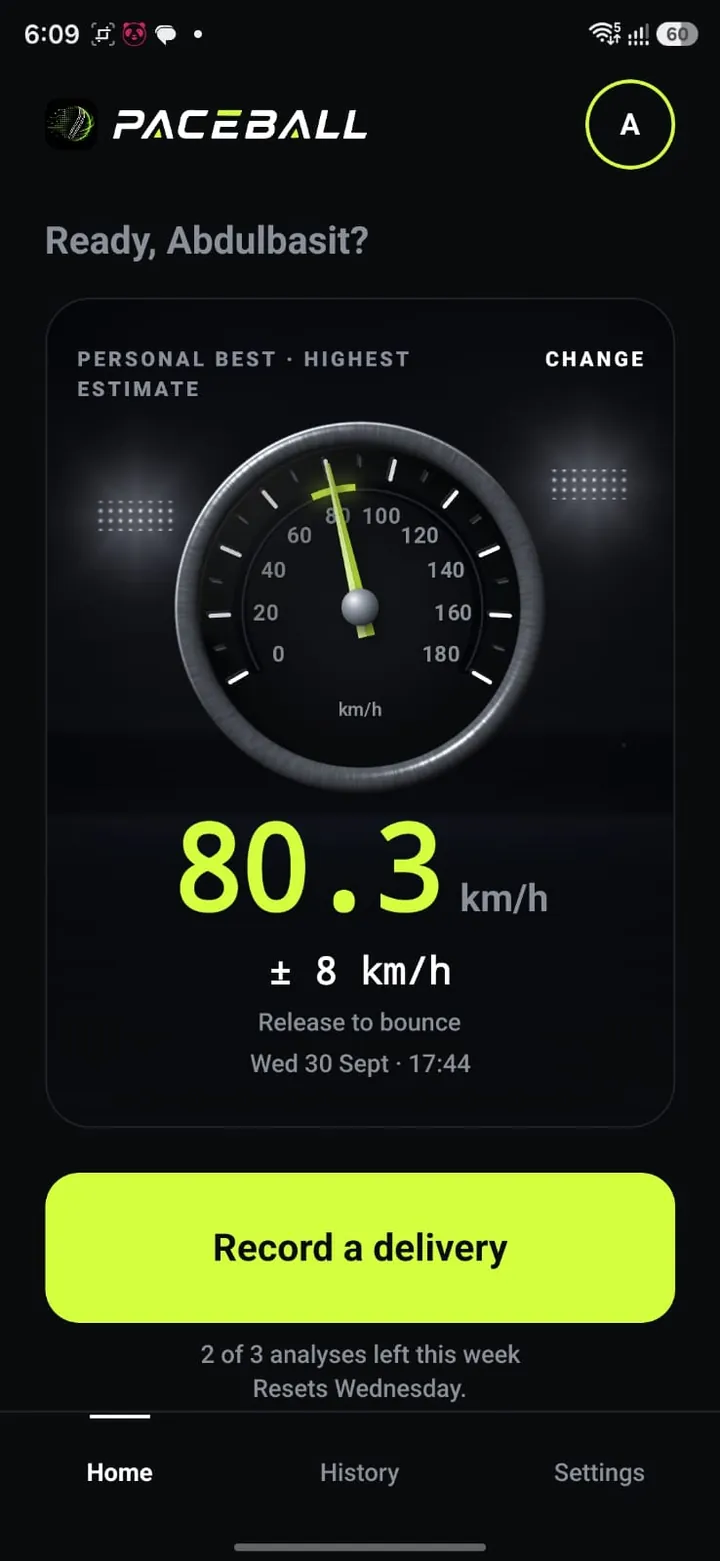
Home: the personal best Capture: live, 3 s minimum 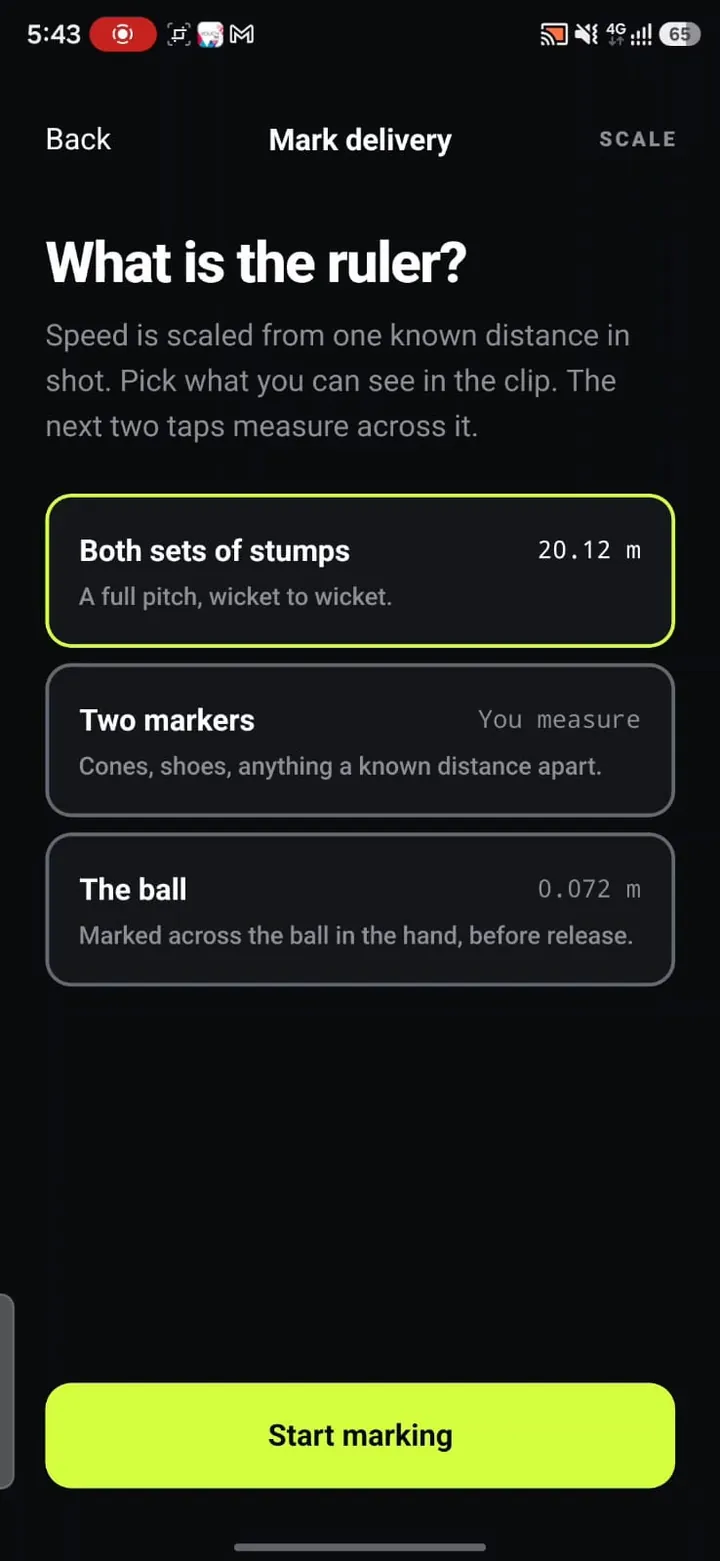
Pick the ruler Mark four points The speed and its range 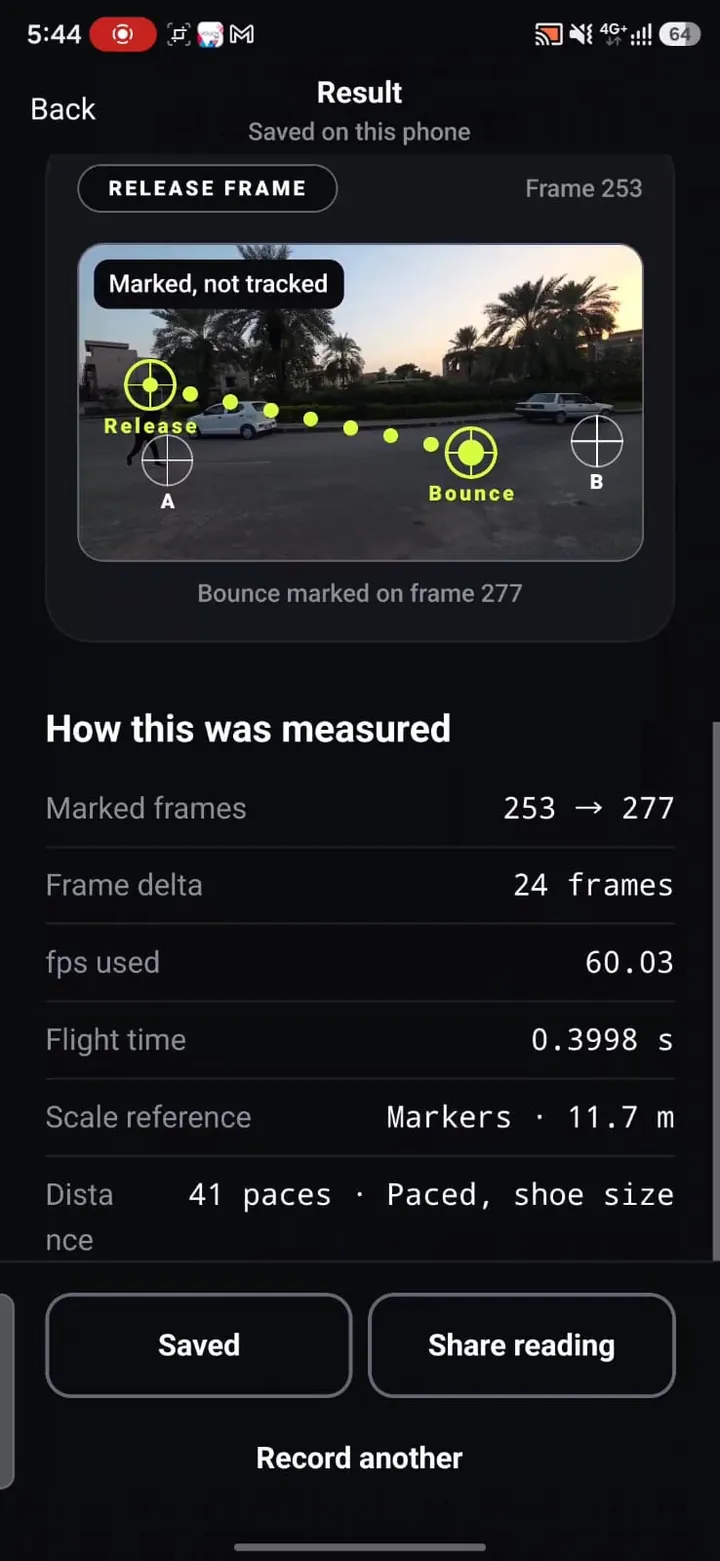
How this was measured 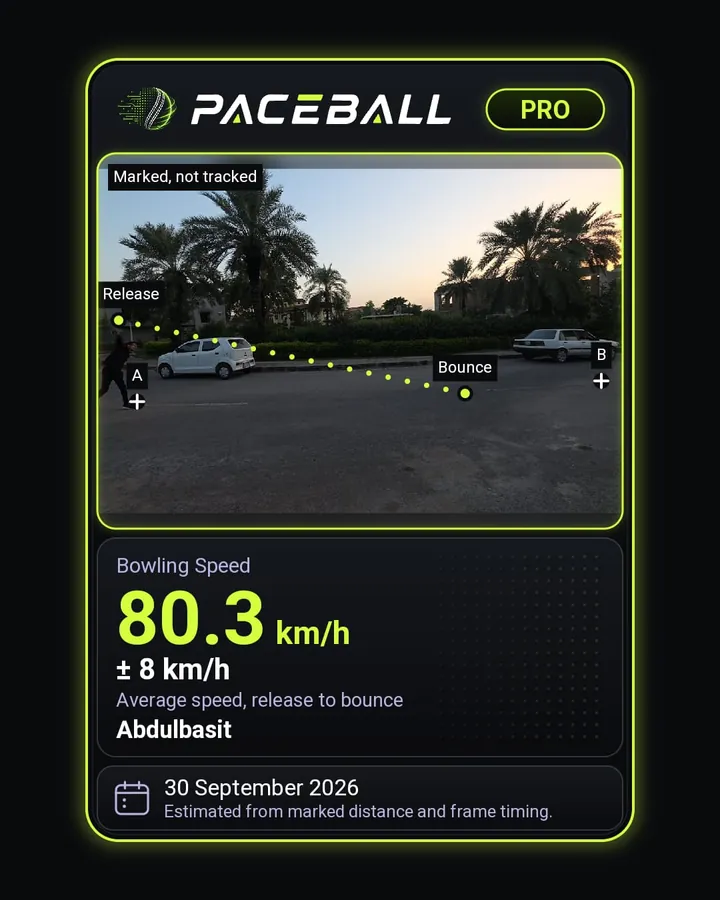
Share card (Pro) 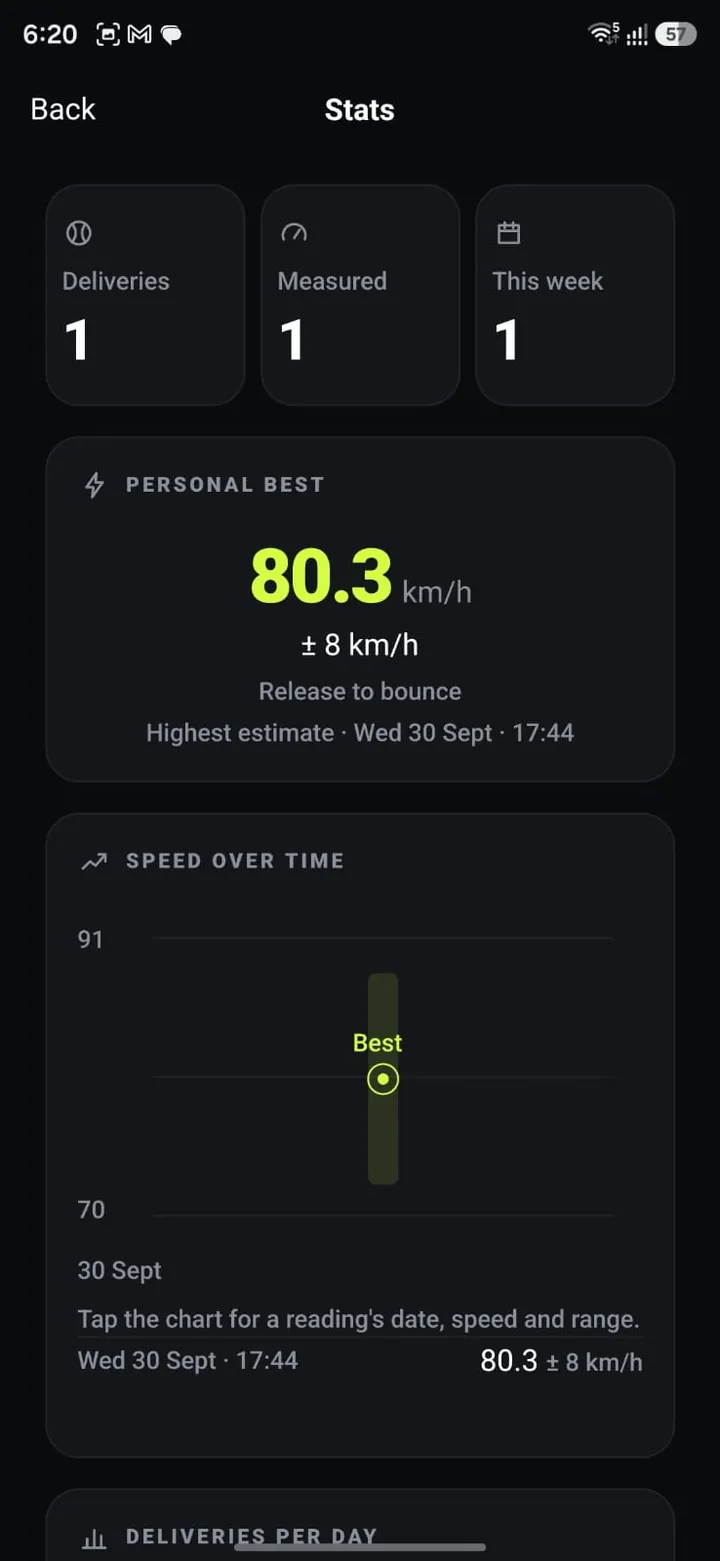
Stats 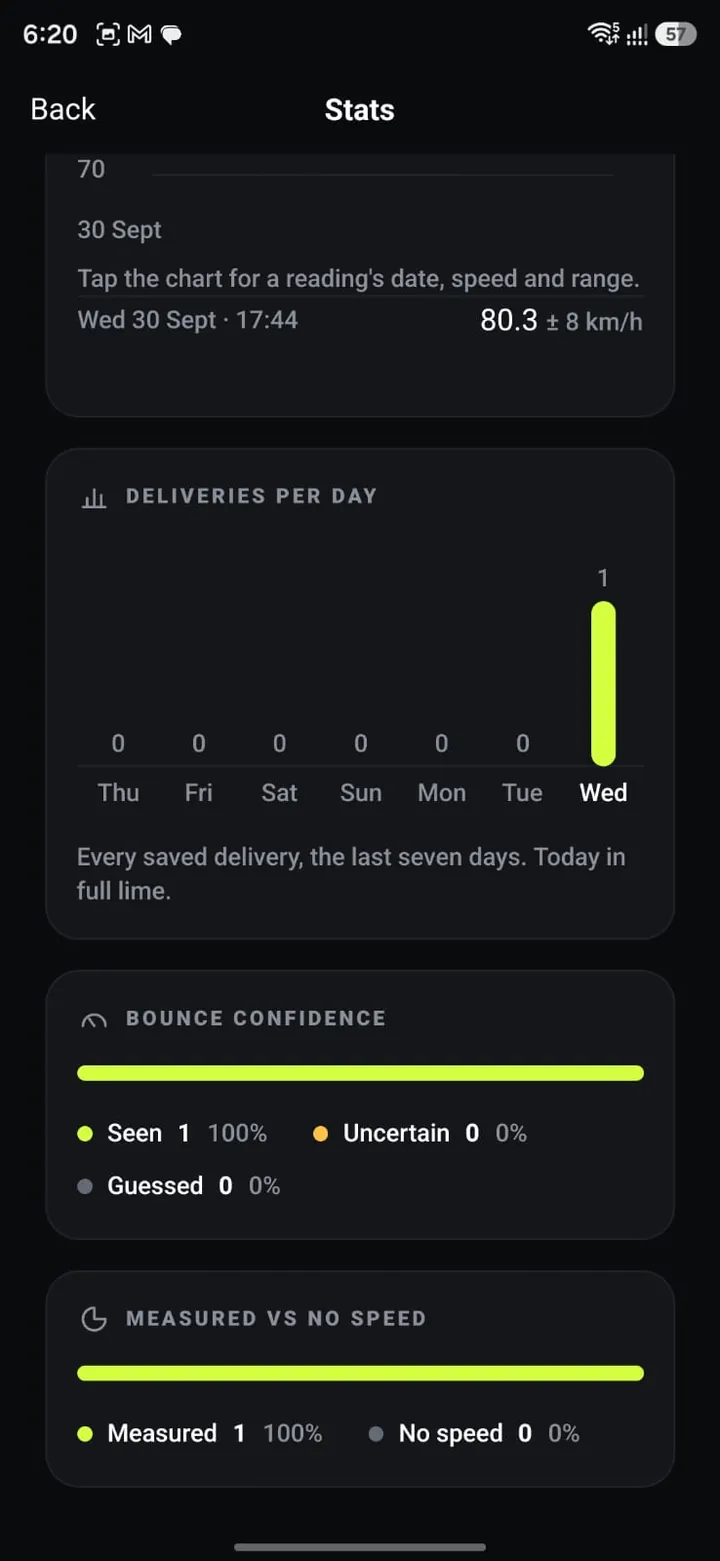
Stats: bounce confidence 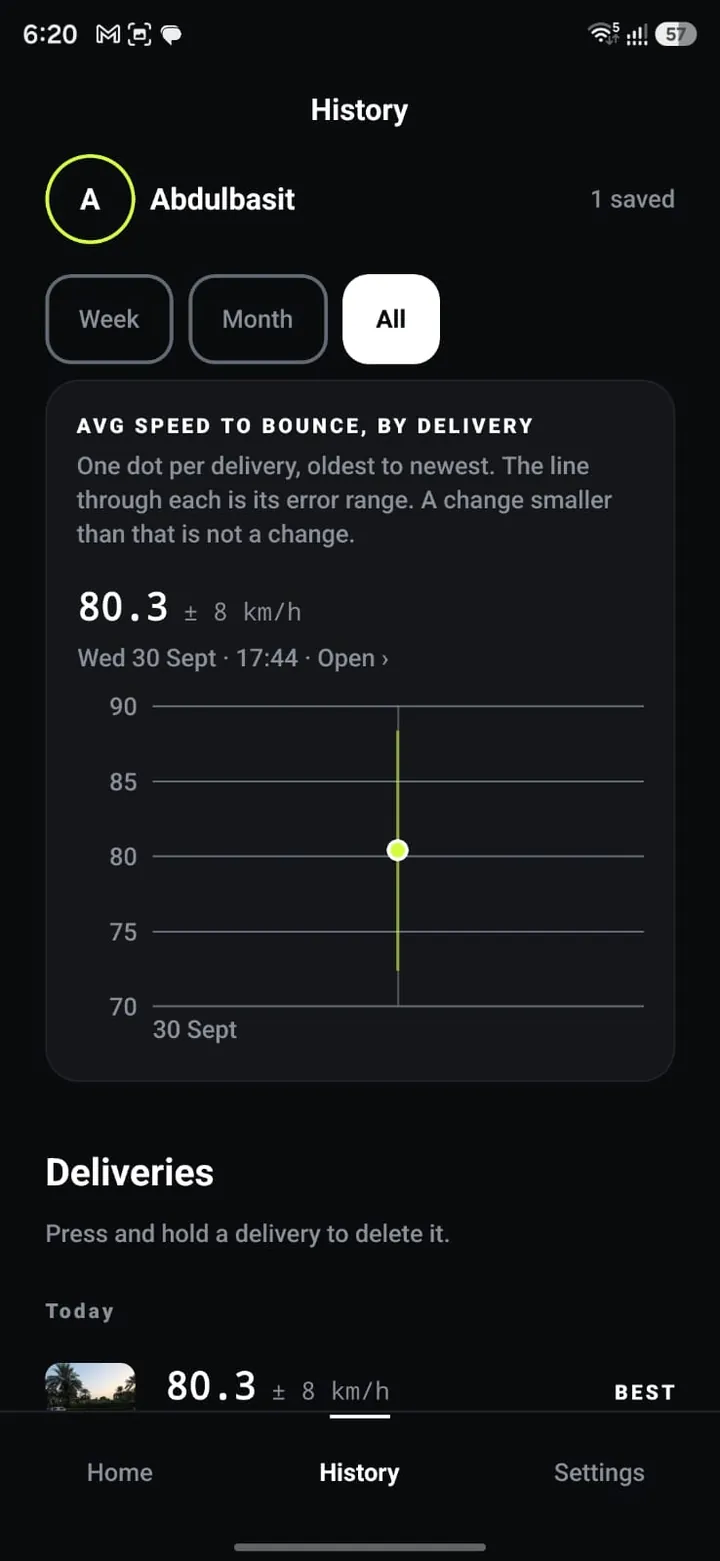
History (Pro) 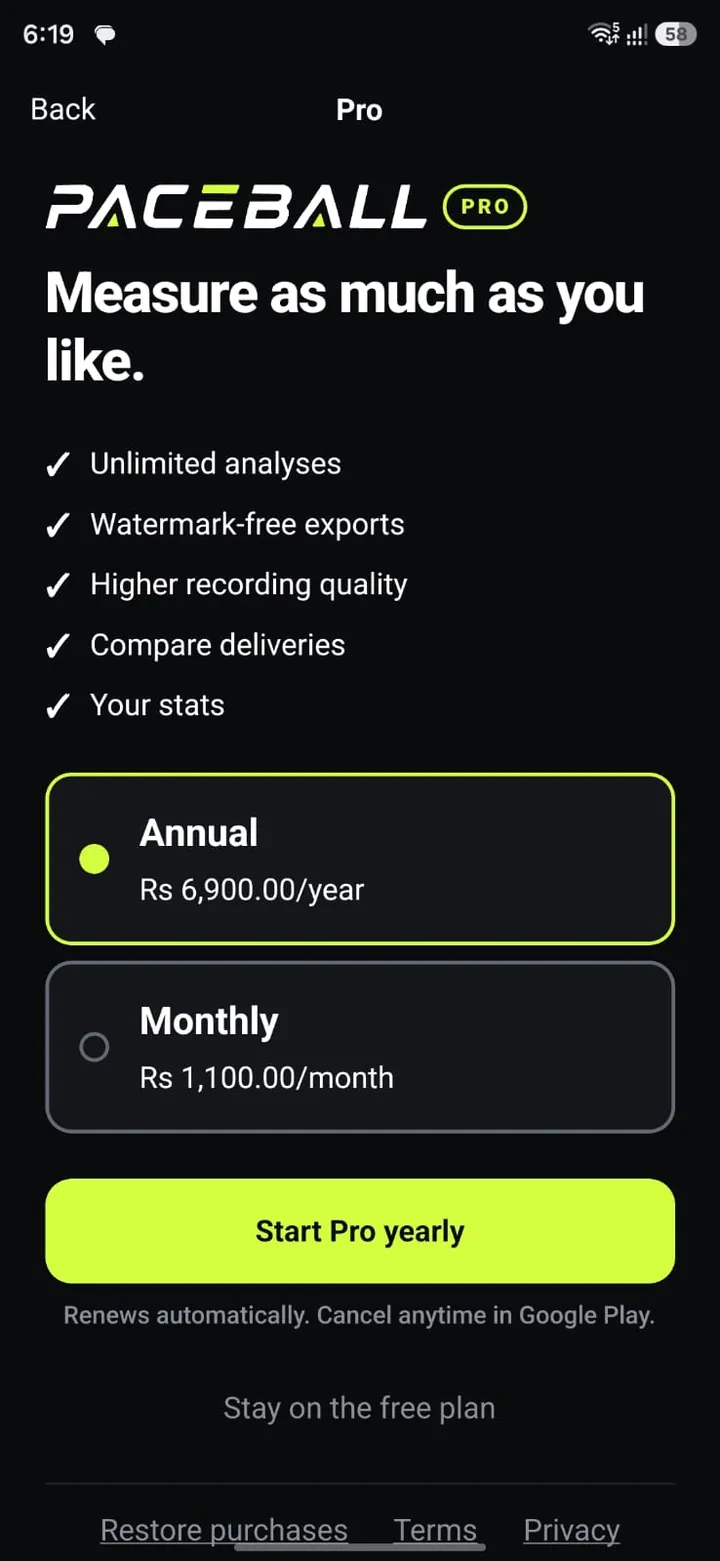
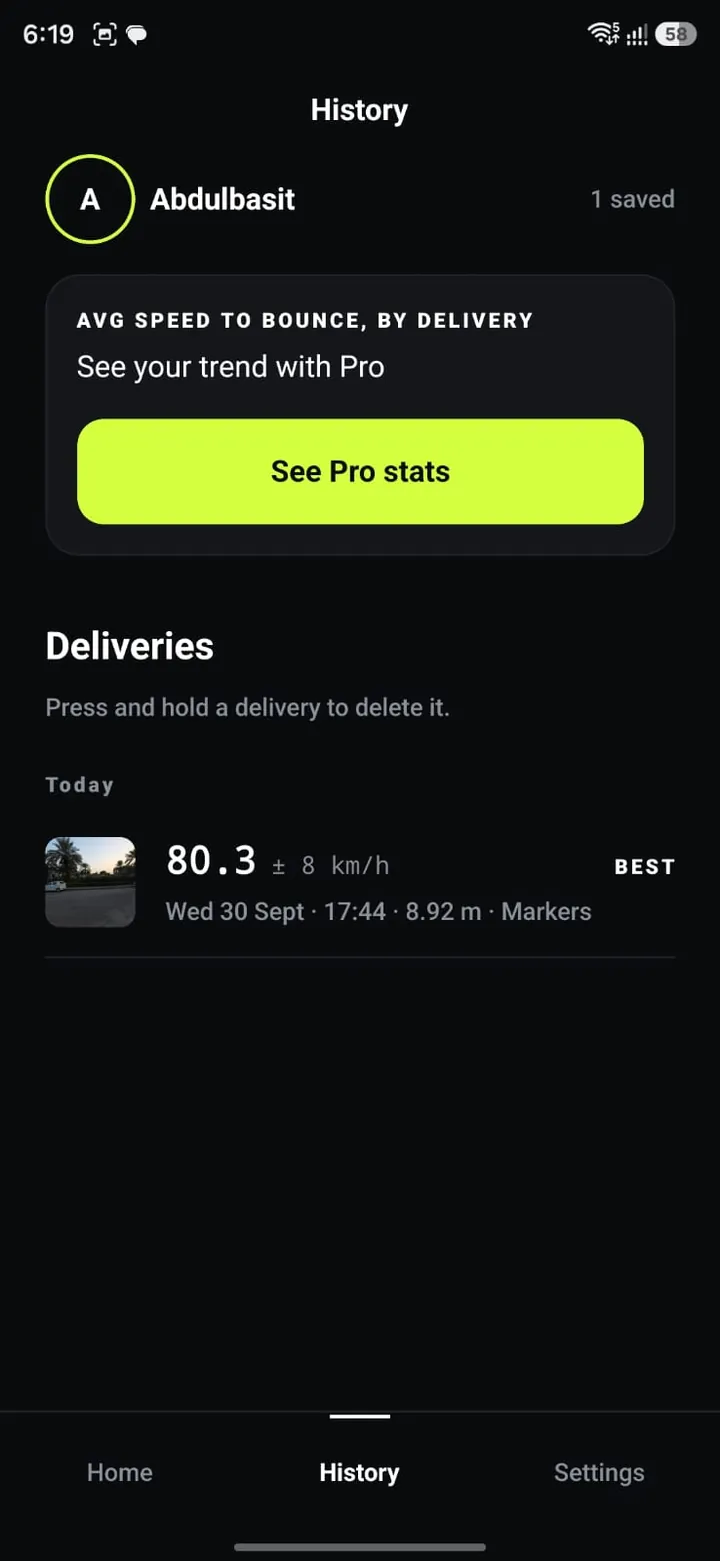
Paywall: the store's prices
Free and Pro
Measure for free. Go further with Pro.
| Feature | Free | Pro |
|---|---|---|
| Speed with its ± range | Yes | Yes |
| Rulers: stumps, markers, the ball | Yes | Yes |
| Analyses | 3 per 7 days | Unlimited |
| History and personal best | Yes | Yes |
| Share card and video clip | With the Paceball band | Clean |
| Stats and the History trend | Personal best only | Yes |
| Compare two deliveries | No | Yes |
| Recording quality | Standard | Higher, on supported phones |
Pro is monthly or annual, and the annual plan starts with a 7-day free trial for new subscribers. Prices are shown in Google Play, in your own currency. Cancel any time in Google Play.
For judges
How to try Paceball
Paceball is in closed testing on Google Play, so it takes a couple of extra taps to install. About five minutes, start to finish.
- 01
You need an Android phone and a Google account. Paceball needs Android 9 or newer: it steps through the video frame by frame, and Android only allows that from Android 9.
- 02
Join the tester Google Group. Open the Paceball testers group (opens in a new tab) and join it with your Google account.
- 03
Opt in to testing. Open the Google Play testing page (opens in a new tab), signed in with the same Google account you used for the group, and tap "Become a tester".
- 04
Install Paceball from Google Play (opens in a new tab). The listing can take a few minutes to show up after you opt in.
- 05
Try it free. Every phone gets 3 analyses per 7 days, with no payment and no account.
- 06
Try Pro. Open the paywall (Settings > Pro, or any locked feature) and pick the annual plan with the 7-day free trial. Google asks for a payment method, but nothing is charged if you cancel within 7 days: Play Store > profile icon > Payments & subscriptions > Subscriptions > Paceball > Cancel. "Restore purchases" is at the bottom of the paywall, and in Settings > Pro.
- 07
A 2-minute test without a pitch. Put two markers (shoes or tape) a known distance apart on the floor, for example 3 m. Record someone rolling or throwing a ball past them, choose "Two markers" as the ruler and enter the distance, then tap the markers, the release and the bounce. You get the speed with its ± range.
- 08
What to look at: the speed and its ± range, "Marked, not tracked", the share card (Free vs Pro), the video clip export, Stats and History.
- 09
Known limitation. Right after a video clip is exported, the in-app player can report a shorter length (about 1 s). Open it again from History a few minutes later and it shows the full length. The saved file is complete.
- 10
Problems or questions: paceballpro@gmail.com
FAQ
Questions
How accurate is it?
As accurate as the range says. Every reading carries its own ± range, from which frame each mark landed on, how well the ruler's length is known, and how precisely the points could be tapped. A steady phone, side-on, with both sets of stumps in frame gives a tight range. A paced ruler or a short flight gives a wide one, and the app shows that rather than hiding it.
Is it the same as a radar gun?
No. A radar reads the ball as it leaves the hand. Paceball gives the average speed from release to bounce, which is lower, because the ball slows in the air. Release speed is typically 5 to 8% higher.
Which phones does it work on?
Android 9 or newer, recording at 60 fps. There is no iOS version yet.
Why show a ± range at all?
Because a single number would claim more than a phone video can know. At 60 fps a fast delivery crosses only a couple of dozen frames, so one frame either way moves the answer. The range tells you how much a reading can be trusted, and whether a difference between two deliveries is real.
What happens to my videos?
Paceball never uploads your videos or measurements. There is no account and no server of our own; the measurement runs on the phone. On launch, it checks with RevenueCat whether this phone has Pro and asks Google Play for the plans and prices. Purchases go through Google Play and RevenueCat, crash reports go to Sentry only if you turn them on, and a card leaves only when you share it. Android's own backup may copy app data to your Google backup.
How do I join the beta?
Join the tester Google Group, then open the Google Play testing link with the same Google account and tap "Become a tester". The steps are at the top of this page.
How do I cancel the free trial?
In the Play Store: profile icon > Payments & subscriptions > Subscriptions > Paceball > Cancel. Cancel within the 7 days and nothing is charged.
Team
Who builds it
- Founder and lead developer (design, product and app)
- Developer and partner
Built for RevenueCat Shipaton 2026.
Follow the build
- @paceballpro (opens in a new tab)
- @paceballpro (opens in a new tab)
- Build write-ups (opens in a new tab)
- The source, MIT licensed (opens in a new tab)
Paceball never uploads your videos or measurements. Purchases go through Google Play and RevenueCat, and crash reports go to Sentry only if you turn them on. Read the privacy policy.